
Academy: HubSpot + Webinars
A guide for teams who want a smoother webinar workflow inside HubSpot. It skips the theory and shows you how to keep data in sync, segment by attendee behavior, and turn follow-up into something you can repeat every time.
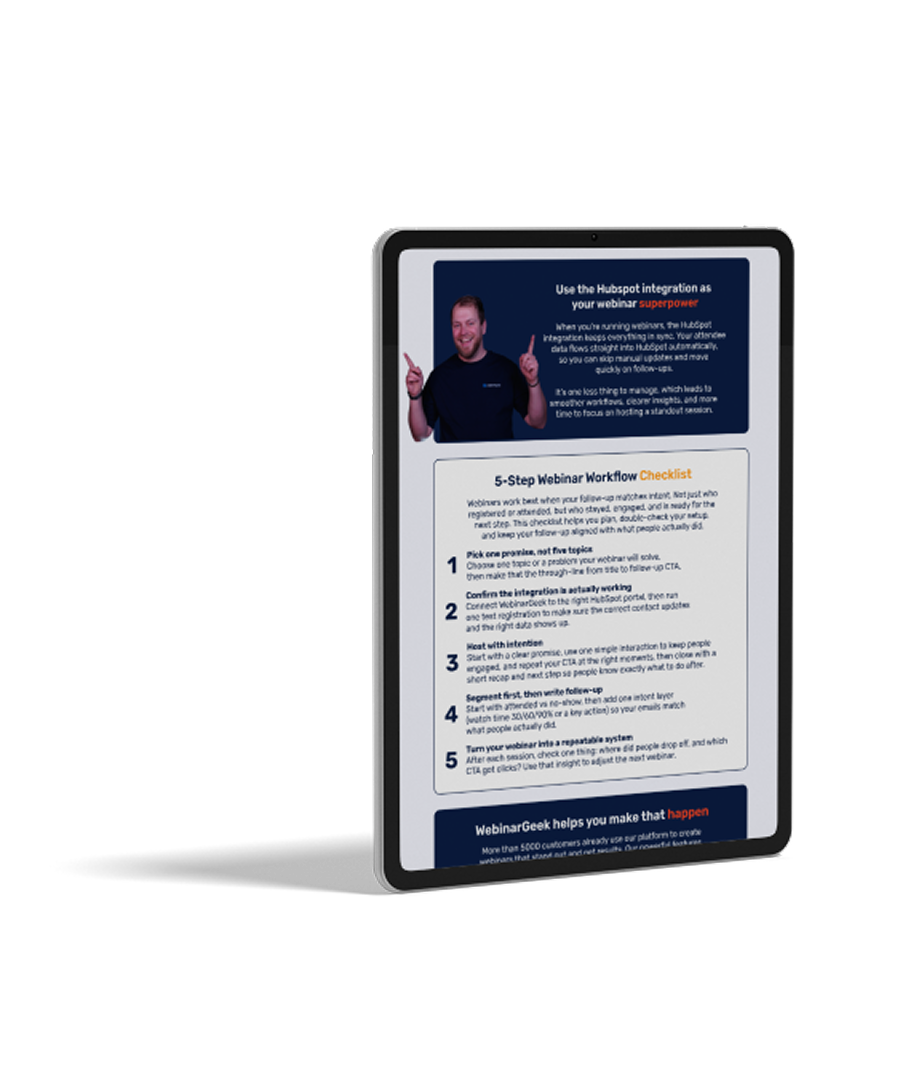
The 5-Step HubSpot Webinar Checklist
This guide gives you a simple 5-step plan for webinars with HubSpot, from setup to follow-up. You’ll make sure the integration is working, segment by engagement, and send follow-up that fits what people actually did.
Get the checklistWhat to read next?
The checklist gives you the structure. These blogs help you pick the right HubSpot webinar setup, and turn engagement data into better follow-up.

Best webinar tool for HubSpot users
For HubSpot users, “best” usually means one thing: webinar data that actually shows up in HubSpot. This blog explains what to look for in a HubSpot integration, the red flags that lead to manual clean-up, and a quick way to test whether a tool will really support your workflows.
Read now
Use Watch Time to Improve HubSpot Follow-Up
Not every attendee is equally interested, and your follow-up should reflect that. This article shows how watch time can help you separate casual viewers from high-intent leads, so your HubSpot workflows send the right next step to the right people.
Read nowArtículos recomendados




¿Quieres saber más sobre WebinarGeek?
14 días gratis. Todas las funciones Premium. Sin compromiso.