
Descarga gratis fondos virtuales de
Encuentra el fondo virtual adecuado para personalizar tus reuniones y eventos virtuales
Explora los fondos virtuales

Brown conch shell

Lightning storm by night

Grass mountains

Northern lights in the mountains

Sky of stars above snowy mountain

Breaking sea wave

Polar lights above dark forest

Golden forest pathway

Clouds resting on mountains

Lone starfish in the Caribbean Sea

Ciucas Peak in the morning

Village on mountain cliff during orange sunset

Sunset in Hawaii

Hot air balloons in the sky
Prueba WebinarGeek gratis
Empieza hoy con los webinars. 14 días gratis. Todas las funciones premium. Sin compromiso.

Sand landscape in Morocco

Blue lake and green shore

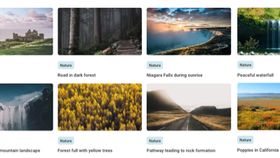
Pathway leading to rock formation

Forest full with yellow trees
Cómo agregar un fondo virtual
Elige una imagen para tu webinar de esta biblioteca de fondos o selecciona una propia.

Ve a tu webinar, selecciona el ícono ✨ y elige «Subir fondo personalizado».

Incluso puedes cambiar el fondo virtual durante tu webinar. ¡Eso hace que tu webinar sea muy dinámico!

Waterfall in icy mountain landscape

River beneath the Yosemite cliffs

Niagara Falls during sunrise

Road in dark forest

Tokyo Shopping Street

Los Angeles by night

Sunny Honolulu skyline

Italian Amalfi Coast

Blue London cab

London Eye in bright weather

Burj Al Arab on a cloudy dark afternoon

London postbox and phone cell

Golden Gate Bridge in San Francisco

Magenta building in a city

Eiffel tower from Champs de Mars

Nyhavn port in Copenhagen

Brown stone houses beside river

Castle of the Sleeping Beauty

Rotterdam by night

Hofvijver in The Hague

Utrecht canals by night

Snow in Amsterdam

Polar bear waving

Panda eating bamboo

Fox in the snow

Swimming Turtle

Curious looking squirrel

Kingfisher scanning for food

Playful grey cat on his hind legs

Two elephants in the jungle

Small polar fox in the snow

Satisfied looking gorilla

Three meerkats in the sand

Young deer in the grass

Baby raccoon

Green pit viper on a branch

Sleeping koala on a tree branch

Zebras drinking from a pool

Talking puffins

Pig standing in the sea

Lion roaring in the grass

School of sharks

Playful border collie with a branch

White room modern wooden clock

White porcelain teapot and two plants on windowsill

Modern living room with a yellow image on the wall

Room with 4 bookshelves

Wooden cozy cottage

Wall full with frames

Office space with black frames

Stylish living room

Stormtroopers standing in the Death star

Train on its way to a magical place

Magical shopping street

Platform 9¾

School of magic

Classic gaming controller

Interactive theme park

Mario kart

Dunluce Castle

Old town Dubrovnik - Kings landing

Retro looking game hall

Lyon Football stadium

Basketball stadium

Basketball court at sea

Fitness gym

Yoga pose on a mountain

Stack of stones next to the water

Tennis court

Golf course

Peaceful waterfall

Poppies in California

Dolphin jumping out of the water

Stonehenge with sunset

Sailing boat skew on the water

Graffiti wall

Space station in space

Cozy pub

Big Sports bar

Mountain view from the river

Austin by sunset
Q&A
What are virtual backgrounds?
Virtual backgrounds are immersive digital backdrops that can transport you to a variety of settings during online events, livestreams, and meetings. Whether you're aiming for a professional atmosphere in a virtual office, creating a festive vibe with celebration scenes, or seeking tranquility through nature imagery, virtual backgrounds offer endless possibilities.
Where can I download free virtual backgrounds for video conferencing?
At WebinarGeek, we offer a treasure trove of over 100 free virtual backgrounds for you to explore and download. With options ranging from picturesque landscapes to energetic sports scenes, our collection allows you to express yourself creatively while ensuring a polished, distraction-free virtual environment.
How to Set Up Virtual Backgrounds in Webinar Software
Setting up virtual backgrounds in your preferred webinar software, such as Zoom, Webex, Microsoft Teams, BlueJeans, or WebinarGeek, is a breeze. Simply follow these steps:
Access the Virtual Background menu in your webinar software.
Navigate to the Background & Filters section.
Choose an image from your collection or upload one.
Enjoy a personalized and visually appealing virtual backdrop.
In case you encounter any challenges while loading your virtual meeting background, ensure that your system meets the necessary requirements for Mac, Windows, or Linux.
Why should I use virtual backgrounds?
Don't miss out on the opportunity to elevate your webinars and meetings with visually striking virtual backgrounds. Join the virtual revolution today and leave a lasting impression on your audience. Experience the future of online engagement with WebinarGeek's free virtual backgrounds – download yours now!