
Product Update: Live Q&A Summaries, Replay Chapters, and Personal Webinar View

Caroline
01 de octubre de 2026 - 3 min
This month, webinars become easier to revisit, more accessible, and better connected. Here’s what’s new.
Live Q&A summaries
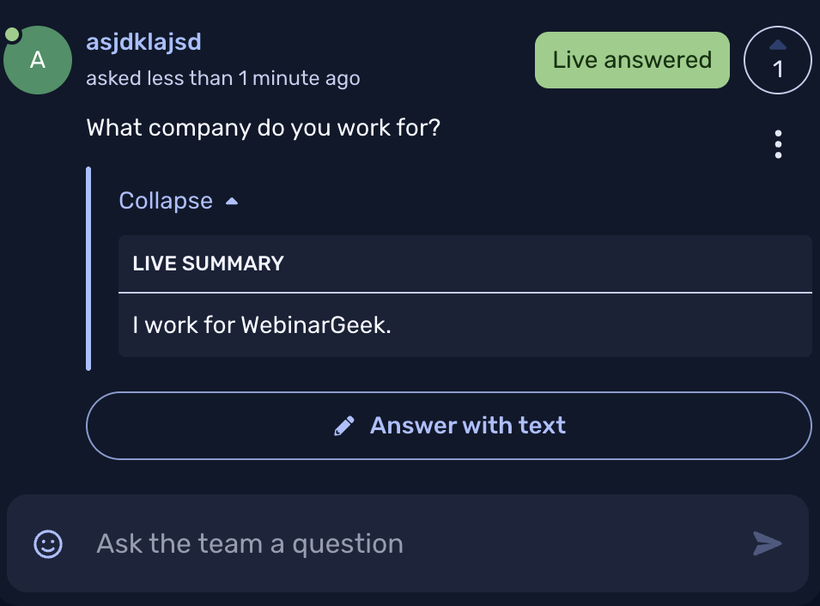
After your webinar, spoken answers from your Q&A are turned into readable summaries, so viewers can easily find the answers when watching your replay.
Benefits:
Easily find answers in replay videos
Automatically converts spoken answers into readable text
Replay chapters
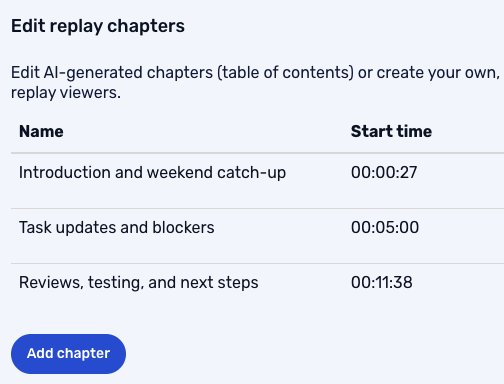
You can create or edit chapters on your webinar replay, so viewers can jump straight to the sections they're interested in.
Benefits:
Seamless navigation through replay videos
Viewers can directly access relevant content sections
Always make sure crucial content of a webinar is highlighted to your audience
Quick sign-up (Google/Microsoft Sign-in)
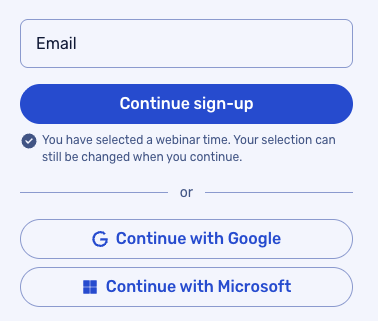
Signing up is now a little quicker too. With Google or Microsoft Sign-in, viewers can register without filling in every detail themselves.
Benefits:
Faster registration flow for attendees
No need to manually fill in registration forms
Personal Webinar View
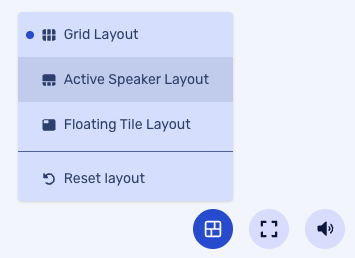
With Personal Webinar View, every viewer can choose their own layout. They can adjust what they see on screen without changing it for someone else.
Benefits:
Customizable layout per attendee
Independent view adjustments without affecting other viewers
Audience chooses their own method of optimal viewing and therefore is likely to pay more attention and stay the full duration
Brevo integration
You can sync your contacts and webinar activity directly with your Brevo list and campaigns. Check our homepage and look at the "Integrations" section to test it out.
Benefits:
Direct sync of contact data and webinar activity
Streamlined email campaign workflows
Want to see these updates in action?
Join our next Product Update webinar on October 21st. We'll demo these features and give you a sneak peek into what's coming up next.
Product Update Webinar on October 21 @ 2 PM
Save my seat