
Welche Arten von Webinaren gibt es?
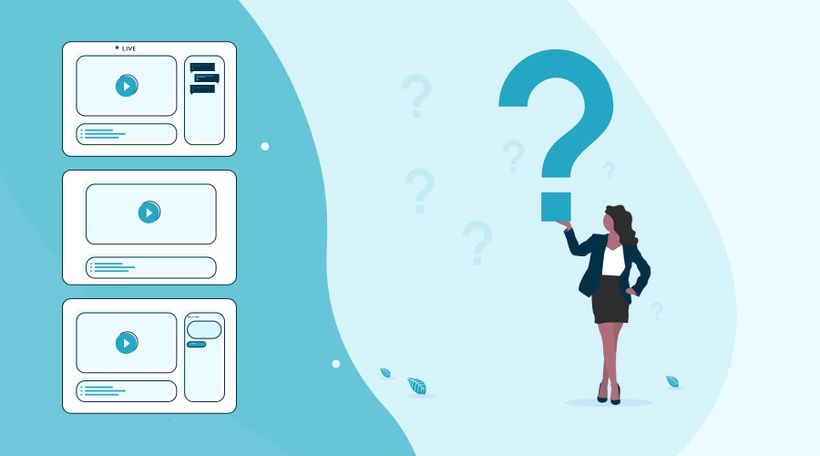
LERNZIEL: Welche Arten von Webinaren kann ich nutzen?
In der Welt der Webinare gibt es drei Arten von Webinaren: das Live-Webinar, das automatisierte Webinar und das On demand Webinar. Je nach deinen Zielen entscheidest du, welche Art von Webinar am besten passt.
Starte mit deinem ersten Webinar
Ein wichtiger erster Schritt bei der Organisation eines Webinars ist, gründlich über die Fragen "Warum möchtest du ein Webinar organisieren?" und "Was möchtest du mit deinem Webinar erreichen?" nachzudenken.
Wenn du deine Ziele sauber festlegst, kannst du hinterher messen, was gut gelaufen ist und wo du dich noch verbessern kannst.
Diese Ziele können ganz unterschiedlich sein. Zum Beispiel mehr Leads generieren, neue potenzielle Kunden erreichen oder die Zahl der Kontaktpunkte mit bestehenden Kunden erhöhen. Denk auch daran, deine Mailingliste zu vergrößern. Für viele ist das ein wichtiger Grund, mit Webinaren zu starten.
Wenn du deine Ziele formuliert hast, ist es wichtig zu überlegen, für wen du das Webinar gibst. Wen möchtest du mit einem Webinar erreichen?
Versuche also, deine Zielgruppe so konkret wie möglich zu beschreiben. Ein bekanntes Sprichwort passt hier sehr gut: "Wer allen dienen will, dient niemandem." Wenn du deine Zielgruppe klar formulierst und das in deiner Werbung aufgreifst, sprichst du Menschen persönlich an und sie entscheiden sich eher für die Teilnahme an deinem Webinar.
Welche Art von Webinar möchte ich veranstalten, um meine Ziele zu erreichen, und wer ist meine Zielgruppe?
Automatisiertes Webinar
Bei einem automatisierten Webinar nimmst du dein Webinar vorab auf. So kannst du es fehlerfrei gestalten. Außerdem kannst du das Webinar visuell so ansprechend wie möglich machen. Mit unserer intuitiven Webinar-Software sorgst du dafür, dass du das Webinar so übertragen kannst, als wäre die Übertragung "live". Zudem können Zuschauer während des Webinars Fragen stellen, sodass du umfassende Möglichkeiten hast, mit ihnen zu interagieren.
Wenn du dich vor der Kamera noch nicht ganz wohlfühlst, kann ein automatisiertes Webinar eine gute Lösung sein.
On demand Webinar
Bei einem On demand Webinar können Zuschauer das Webinar zu einem Zeitpunkt ihrer Wahl ansehen. Unter anderem können Zuschauer das Webinar pausieren und zurückspulen. Zuschauer registrieren sich mit Namen und E-Mail-Adresse, sodass du genau siehst, wann und von wem das Webinar angesehen wurde. Während des On demand Webinars können die Chatfunktion und andere interaktive Tools genutzt werden. Wenn jemand die Chatfunktion nutzt, erhältst du die Nachricht sofort per E-Mail und kannst antworten.
Ein On demand Webinar eignet sich sehr gut, wenn du nach deinem Live-Webinar weiter Leads generieren möchtest. Potenzielle Zuschauer müssen sich registrieren, wenn sie das On demand Webinar ansehen möchten. Außerdem sammelst du weiterhin wertvolle Statistiken, mit denen du sehr gezielte Follow-up-E-Mails versenden kannst.
Mit WebinarGeek erstellst du jede Art von Webinar im Handumdrehen. Unsere Software steht für Benutzerfreundlichkeit und Einfachheit. Das Ergebnis: Webinar-Software, die alle glücklich macht!
Was habe ich gelernt?
Mit welchem Ziel ich ein Webinar erstellen sollte
Welche Arten von Webinaren ich erstellen kann
Nächste Kurse

Wie du Webinare erstellst die konvertieren
Du willst Webinare erstellen, die wirklich konvertieren? In diesem Video zeigen wir dir, wie du mit WebinarGeek überzeugende und conversion-starke Webinare erstellst – kostenlos oder kostenpflichtig. Los geht’s!

Generiere Leads mit aufgezeichneten Webinaren
Entdecke clevere Strategien, um das Beste aus deiner Webinar-Aufzeichnung herauszuholen! Steigere die Interaktion, sammle Leads und erlebe den Zauber des Live-Events erneut. Lass uns starten! 🚀

Verbessere dein Audio mit OBS – Teil 2
Optimiere den Klang deines Webinars mit OBS-Filtern! In Teil 2 erkundest du fortgeschrittene Effekte wie Kompressor, Expander, Limiter, EQ und mehr für herausragende Audioqualität. Schau jetzt rein und hebe deine Webinare auf das nächste Level!

Ein Webinar von A bis Z gemeinsam präsentieren
Hol das Beste aus der Co-Präsentation heraus mit unserer Schritt-für-Schritt-Anleitung.

Webinare als Geschäftsmodell
Bereit, profitable Webinare zu hosten? Entdecke, wie du mit On demand Webinaren Geld verdienst. Lerne, wie du deine Expertise monetarisierst, überzeugende Inhalte erstellst, dein Webinar effektiv bewirbst und Einnahmen generierst.
Organisiere Webinare für den Verkauf
Beziehe dein Publikum ein und verwandle Zuschauer in Kunden mit diesen nützlichen Features.

Erstelle dein erstes Webinar: Ein Leitfaden für Einsteiger
Bereit für dein erstes Webinar? Schau dir unsere Videoserie „Ein Leitfaden für Einsteiger“ an – wir zeigen dir alles: von der Zielsetzung bis zur Themenwahl. Erfahre, wie du mit den Tools von WebinarGeek den Ablauf optimierst.
Zeitsparende Funktionen
Entdecke alle praktischen Automatisierungen und Abkürzungen.

Die Kraft der Automatisierungen durch Evolve
Pipedrive optimiert Kundenbeziehungen, steigert den Verkauf und reduziert manuelle Verwaltungsarbeit.

E-Mail- und Webinar-Marketing durch MailBlue
MailBlue, offizieller ActiveCampaign-Reseller, zeigt, wie Webinare und E-Mail-Marketing zusammenpassen.