
What kind of webinars are there?
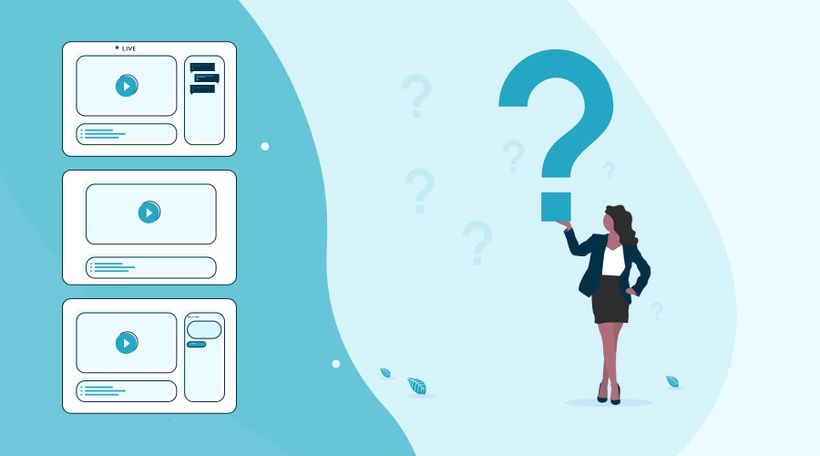
LEARNING GOAL: What kind of webinars can I use?
In the world of webinars, there are three types of webinars. The live webinar, automated webinar, and the on-demand webinar. Based on your objectives you will determine which type of webinar is the most suitable.
Start with your first webinar
An important first step in organizing a webinar is to think carefully about the question "why do you want to organize a webinar?","What do you want to achieve with your webinar?"
Properly establishing your objectives ensures you can measure afterward what went well and where you can still make improvements.
Those goals can be anything. For example, generate more leads, reach new potential customers, or increase the number of contact moments with existing customers. Also, think about increasing your mailing list. This is an important reason for many people to start using webinars.
If you have formulated the objectives, it is important to consider for whom you will give the webinar. Who do you want to reach with a webinar?
So try to describe your target group as concretely as possible. A well-known saying, "if you try to serve them all, you will serve none" is very appropriate here. By clearly formulating your target group and including this in your promotion, you address people personally and they will feel more likely to participate in your webinar.
What kind of webinar do I want to give to reach my goals and what is my target audience?
Automated webinar
You record your webinar in advance with an automated webinar. This allows you to make your webinar flawless. You can also make the webinar as attractive as possible visually. With our intuitive webinar software, you ensure that you can broadcast the webinar as if the broadcast were "live". Also, the viewer can ask questions during the webinar, so you have the extensive opportunity to interact with the viewer.
If you are not yet completely comfortable with the camera, an automated webinar can offer a good solution.
On-demand webinar
An on-demand webinar gives the viewer the option to view the webinar at a time of their choosing. The viewer can, among other things, pause and rewind the webinar. The viewer registers with his name and email so that you can see exactly at what time and by whom the webinar was viewed. During the on-demand webinar, chat function and other interactive tools can be used. If someone uses the chat function, you will immediately receive it in your mail and you can respond.
An on-demand webinar is very suitable if you want to continue generating leads after your live webinar. Potential viewers have to register when they want to watch the on-demand webinar. Besides, you continue collecting valuable statistics, allowing you to send highly targeted follow-up emails.
With WebinarGeek you can create any type of webinar in an instant. Our software stands for user-friendliness and simplicity. The result is webinar software that makes everyone happy!
What did I learn?
With which objective should I make a webinar
What types of webinars can I create
Next courses
All you need to know about webinar users
Collaborate with your teammates and make sure everyone has the correct role in your webinar!

The Ultimate Camera Switcher: Atem Mini
Explore how the Atem Mini, an versatile camera switcher, can revolutionize your webinars with its easy-to-use interface, multiple input options, and professional-grade features. Perfect for anyone looking to enhance their live streaming setup.

Zapier - Integrate with 6,000+ apps
Automate workflows to host webinars more effectively and efficiently.

Webinar Playbook for Coaches
A practical guide for coaches who want to grow without limitations on your way. This playbook skips the generic pep talks and gets straight to the good stuff: how real coaches are using webinars to teach more people, save hours, and stay personal in the process.

Use AI to create your webinars
Discover the future of webinars! With AI you can create a webinar in minutes—from outline to presentation, recording, and promotion. Say goodbye to hours of preparation and hello to seamless, efficient webinars.
5 Awesome Studio Management Tips
Want to level up your studio management skills? In this video, we share 5 awesome tips to streamline your workflow, boost productivity, and create a more efficient studio environment.

Improve Your Webinar Game
Improve your webinar skills, generate more leads and increase your sales.

Academy: HubSpot + Webinars
A guide for teams who want a smoother webinar workflow inside HubSpot. It skips the theory and shows you how to keep data in sync, segment by attendee behavior, and turn follow-up into something you can repeat every time.

Building a Successful Webinar Channel for Recurring Content
Setup your channel, manage recurring webinars, and promote your content to grow your audience.

7-Day Webinar Challenge - 'Step into the spotlight'