
The purpose of the registration process

LEARNING GOAL: Knowing how you can use the registration page.
The ultimate goal of planning your registration process is to collect as many registrants as possible. Obviously, there are multiple underlying goals that precede a successful registration process.
You want to activate the potential viewer in several ways before they reach the registration page. The goal is to pique the interest of the potential viewer throughout the entire process.
And that’s why it’s important that you really offer added value with your webinar. You can do this, for example, by presenting the benefits of watching your webinar to your target audience.
You also want to gain your audience’s trust. Watching a webinar takes time and effort. Without trust, your registrant will be reluctant to give you these.
Focus on the following three aspects to set your registration process up for success:
Before registration
This first aspect refers to everything that leads someone to register through your registration page.
Use free tools to direct traffic to your registration page. Your own mailing list, website, or social media, for example.
Use paid tools to direct traffic to your registration page. Examples are Facebook ads or Google ads marketing campaigns.
The registration page
This is where people register for your webinar.
The registration page is automatically generated when you create your webinar. You can customize the page to match your corporate identity.
Use the embedded form on your own website. This is a compact embeddable version of the registration page.
Use the ‘one-click registration link’. This link directs visitors to the registration page and automatically fills in the fields on the form with their personal details.
Use the direct link to let viewers watch the webinar without having to register. You can choose to ask viewers to fill in their first names. If you don’t, names will be generated automatically. This results in an almost completely anonymous way to participate.
After registration
Now it’s time to move on to the next stage: stimulating registrants to actually watch your webinar.
One way to do this is by showing people a confirmation page after completing registration. Make sure the page contains relevant information viewers can use in relation to the webinar. For example, use a link to your website where they can find more information about the webinar.
Another way to get people to participate is by sending a reminder email and a number of other emails after they’ve registered. Then it’s more likely that registrants remain interested and don’t forget about your webinar.
When you’ve created your registration process in which these three aspects fit together, it is time to leave it to the visitors of your page to register. If you notice that only a few people register, try to adjust your approach in each stage of the process. For example, embed the registration page on your own website instead of using the link to the registration page. You’ll probably need to test and adjust this process multiple times before you find a process that suits your target audience and webinars best.
What have I learned?
Which stages are part of the registration process.
The purpose of the registration page.
Próximos cursos

7-Day Webinar Challenge - 'Step into the spotlight'

The Ultimate Camera Switcher: Atem Mini
Explore how the Atem Mini, an versatile camera switcher, can revolutionize your webinars with its easy-to-use interface, multiple input options, and professional-grade features. Perfect for anyone looking to enhance their live streaming setup.

Create a live webinar
Create a webinar easily and quickly with the webinar wizard from WebinarGeek. Organize a webinar with ease!

Masterclass: Best Automated Webinar Funnel
Learn how to build the best automated webinar funnel. Enroll in the WebinarGeek Masterclass and become an expert now!
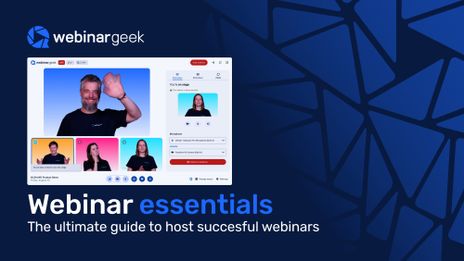
Webinar Essentials Ebook
Webinars can do a lot more than just put a presenter on screen. In this guide, you’ll discover how businesses use webinars to attract leads, strengthen their marketing funnel, train teams, and create more interactive audience experiences.
All you need to know about webinar users
Collaborate with your teammates and make sure everyone has the correct role in your webinar!
Discover all types of webinars
A live webinar is the most known type, but there are many more. Discover all benefits of the different webinar types.

Get leads with recorded webinars
Discover ingenious ways to maximize your webinar recording! Elevate engagement, capture leads, and relive the live charm. Let's dive in! 🚀

Automate workflows with HubSpot
The HubSpot integration is one of a kind, because it works both ways. This is how to automate your marketing.

Academy: HubSpot + Webinars
A guide for teams who want a smoother webinar workflow inside HubSpot. It skips the theory and shows you how to keep data in sync, segment by attendee behavior, and turn follow-up into something you can repeat every time.