WebinarGeek vs Livestorm
More branding control, better follow-up tools, and pricing that stays predictable.
Over 5,000 companies in more than 55 countries trust WebinarGeek

















Why are teams switching to WebinarGeek?

Keep branding consistent across every webinar

Host successful webinars with AI and learn what works

Run repeatable webinars without redoing everything

Get the best-rated support in the industry
Say goodbye to complex and pricey webinar hosting
Livestorm can run a webinar. WebinarGeek helps you host repeatable webinars, where every broadcast looks on-brand, runs smoothly, and is easier to scale over time.
Here's a quick summary of how we differ from Livestorm:
Strong branding controls
Top-rated support available daily for your questions and guidance
Deeper reporting and exports
Straightforward pricing, even with lots of registrations.
Ready for the specifics? See how WebinarGeek compares to Livestorm below.
View nowSee what users are saying
Don’t just take our word for it, see what our users say about WebinarGeek.
Sounds great but I have some doubts...
Totally fair. Here are the questions we hear most from people comparing WebinarGeek and Livestorm.

How does Livestorm pricing compare to WebinarGeek?
WebinarGeek pricing is based on the number of live viewers, not per event. For example, hosting webinars with up to 125 live viewers costs €69 per month, and you can run unlimited webinars within that limit. Livestorm uses a credit system, where each attendee consumes a credit. A webinar with 125 attendees would cost about €312.50, and every additional webinar would require new credits.

Will it be a hassle to switch from Livestorm to WebinarGeek?
It's easier than you think! Most people are surprised how quickly they can get their first webinar live.

What if something goes wrong right before we go live?
Livestorm doesn’t offer phone support, and you can only reach them by email during limited weekday hours (10–14h). WebinarGeek is known for being responsive, and you can do a dry run so nothing feels like a gamble.

Will my CRM and email tools still work?
Yes. WebinarGeek connects with popular tools through native integrations, and Zapier is there for anything more specific.
How does Livestorm pricing compare to WebinarGeek?
WebinarGeek pricing is based on the number of live viewers, not per event. For example, hosting webinars with up to 125 live viewers costs €69 per month, and you can run unlimited webinars within that limit. Livestorm uses a credit system, where each attendee consumes a credit. A webinar with 125 attendees would cost about €312.50, and every additional webinar would require new credits.
Will it be a hassle to switch from Livestorm to WebinarGeek?
It's easier than you think! Most people are surprised how quickly they can get their first webinar live.
What if something goes wrong right before we go live?
Livestorm doesn’t offer phone support, and you can only reach them by email during limited weekday hours (10–14h). WebinarGeek is known for being responsive, and you can do a dry run so nothing feels like a gamble.
Will my CRM and email tools still work?
Yes. WebinarGeek connects with popular tools through native integrations, and Zapier is there for anything more specific.
WebinarGeek is the best alternative for Livestorm
Do you want to know why WebinarGeek is the better webinar platform? Compare Livestorm vs WebinarGeek (2026).

VS
Livestorm
Livestorm
General options
Advanced options
Tool/interaction
Integration
Support
Last updated: 2026

11,000 Sign-Ups: The Webinar Success of Nies Cools
Nies Cools, a Belgian business coach, turned to webinars to scale her coaching practice without losing the personal touch. What started with 120 sign-ups grew to over 11,000 registrations for a single session.
Read moreFAQ
What is the main difference between Livestorm and WebinarGeek?
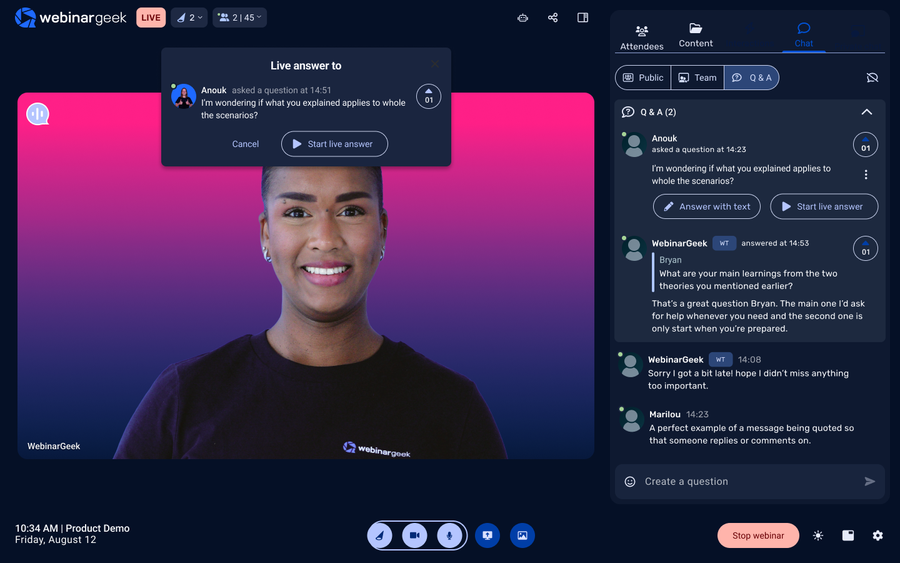
WebinarGeek focuses specifically on webinars. The platform is designed around the full webinar workflow, from the registration page and confirmation email to hosting the session in the webinar room and reviewing the statistics afterward.
For teams that run webinars regularly for lead generation, customer education, or training, that focus often makes the setup simpler and the workflow easier to repeat.
Is WebinarGeek a good alternative to Livestorm?
Yes, especially if webinars are a central part of your marketing, onboarding, or training.
Livestorm is designed as a broader video platform that includes meetings, product demos, and webinars. WebinarGeek focuses specifically on webinars, which means the workflow is built around hosting and improving webinars over time.
For example, you can create a registration page, automatically send a confirmation email and reminder email, host the session in the webinar room, and review detailed Statistics afterward.
For teams that run webinars regularly, that structure often makes the process easier to repeat.
Is WebinarGeek GDPR compliant?
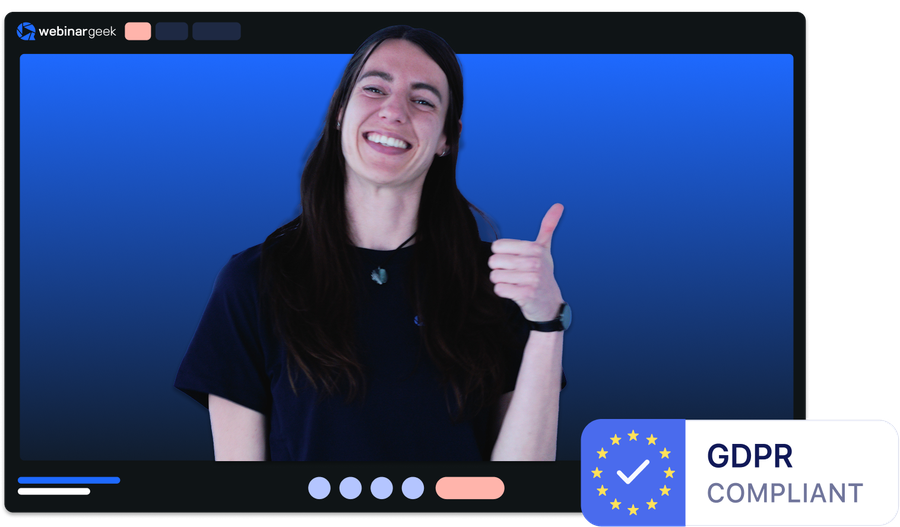
Yes. WebinarGeek is designed with GDPR compliance in mind and stores data on European servers.
For companies in Europe, this can be an important factor when collecting attendee data through a registration page or sending automated emails related to the webinar.
What integrations are available with other marketing tools?
WebinarGeek integrates with popular marketing tools like Mailchimp, HubSpot, and Zapier, enabling seamless email marketing and CRM management.
You can also connect with social media platforms like Facebook and LinkedIn for easy promotion. These integrations help streamline your processes, manage contacts, and enhance performance analysis.
For more details on available integrations, visit here.
Which webinar platform is better for small and medium-sized businesses?
For many small and medium-sized businesses, WebinarGeek tends to be the easier option. WebinarGeek uses a simpler pricing structure. The plans are easier to understand, so you can quickly see what you get and what it will cost as your audience grows. That clarity makes planning easier, especially if webinars are part of your ongoing marketing, onboarding, or training.
For teams that want to run webinars regularly without constantly rechecking pricing tiers or feature limits, that simpler setup removes a lot of unnecessary guesswork.
How do I make the switch?
Ready to move over? Start your free trial or talk to us if you're bringing a bigger team or need something custom.