
Assessment module
Create quiz tests to assess your students or trainees with webinars and organize fun pub quizzes with your team.
Take your webinars to the next level
Assess your students and organize real interactive webinars with WebinarGeek

Combine the power of the assessment and quiz tool to test students or staff
Create real-time interactive webinars and give an unforgettable experience
Use the power of WebinarGeek to collect valuable data and information
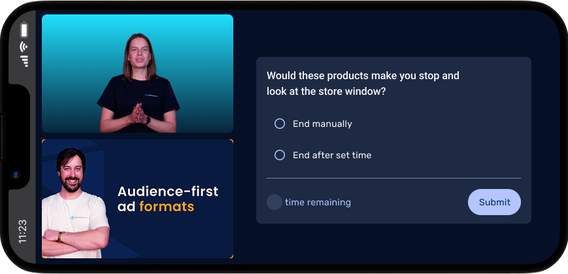
Assessment
Set up specific criteria for your webinar to empower students to participate during the online class while assessing their knowledge for educational or training purposes. With our well-designed assessment tool, you can collect data in the easiest way possible.
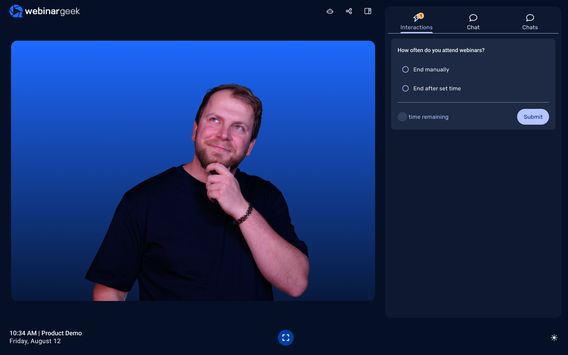
Quiz
Create quiz questions to assess your students or trainees with webinars. Select single or multiple choice question and combine with the assessment tool to see if they pass the assessment after the webinar.
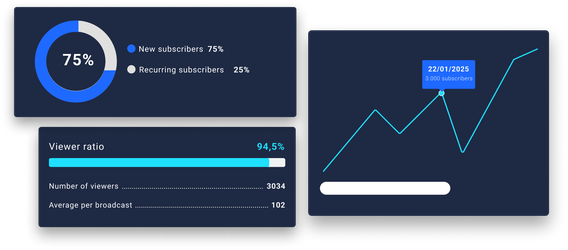
Statistics
Collect data about your webinar performance and get to know your attendees even better by studying the viewer's behavior after the webinar. Find all data and information back in your statistics overview.
Create real interactive webinars
Impress your viewers by sharing content that brings your message across.
Other features
Webinar channel
Make all your webinars accessible in an overview

On-demand webinars
Make your recording available 24/7

Marketing tools
Increase your conversion with smart marketing tools
Automated webinars
Broadcast a pre-recorded webinar as if it were live

Live webinars
Real-time interactive online presentations in HD+ quality
Webinar statistics
All the data in one overview, displayed in a visual way to obtain results
Start today with webinars
14 days free – all premium features – no obligations