WebinarGeek vs Microsoft Teams
A webinar setup that supports registration, reminders, live delivery, and follow-up, so your sessions feel consistent and professional every time.
Over 5,000 companies in more than 55 countries trust WebinarGeek


















Why are teams switching to WebinarGeek?

Keep branding consistent across every webinar

Host successful webinars with AI and learn what works

Run repeatable webinars without redoing everything

Get the best-rated support in the industry

Great for internal sessions, limiting for marketing webinars
Microsoft Teams Webinar is mainly an extension of the Microsoft Teams meeting tool. That’s handy when you’re already running everything inside Microsoft 365, but it can feel restrictive once webinars become a real channel. Registration and emails are fairly basic, and there’s, for example, no built-in advanced promotional toolkit.
WebinarGeek is a complete webinar platform, built around registration, reminders, engagement, follow-up, and reporting.
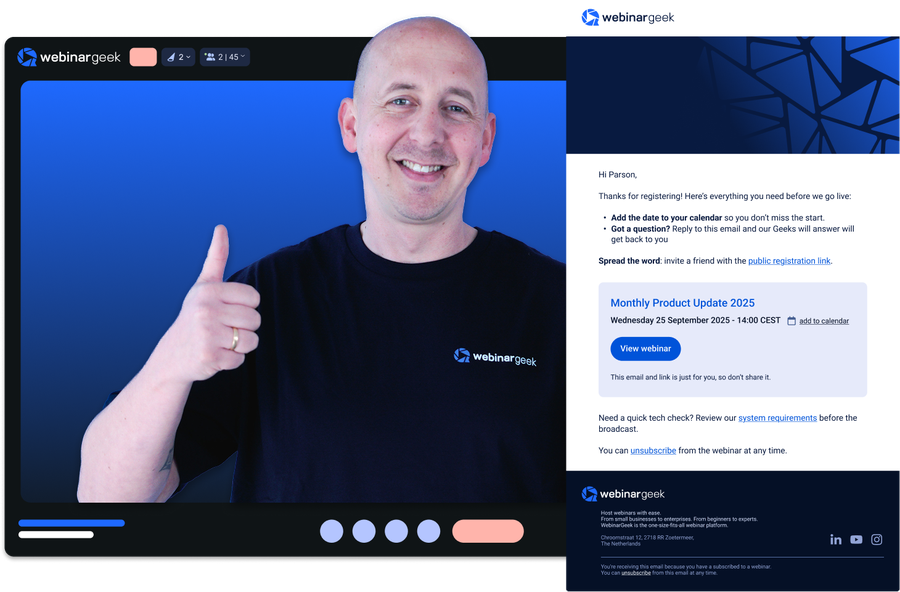
Here's a quick summary of how we differ from Microsoft Teams:
A true webinar platform, not an add-on to a meeting tool
Built-in registration, reminder emails, and follow-up flows
Designed for public events, lead generation, and external audiences
More control over branding and the attendee experience
Ready for the specifics? See how WebinarGeek compares to Microsoft Teams below.
View nowSee what users are saying
Don’t just take our word for it, see what our users say about WebinarGeek.
Sounds great but I have some doubts...
Totally fair. Here are the questions we hear most from people comparing WebinarGeek and Microsoft Teams.


WebinarGeek is the best alternative for Teams
Do you want to know why WebinarGeek is the better webinar platform? Compare Microsoft Teams vs WebinarGeek (2026).

VS
Microsoftteams
Microsoftteams
General options
Advanced options
Tool/interaction
Integration
Support
Last updated: 2026

11,000 Sign-Ups: The Webinar Success of Nies Cools
Nies Cools, a Belgian business coach, turned to webinars to scale her coaching practice without losing the personal touch. What started with 120 sign-ups grew to over 11,000 registrations for a single session.
Read moreHow do I make the switch?
Ready to move over? Start your free trial or talk to us if you're bringing a bigger team or need something custom.
FAQ
What’s the difference between WebinarGeek and Microsoft Teams for webinars?
Microsoft Teams is built for internal meetings and collaboration, while WebinarGeek is designed specifically for hosting webinars.
With WebinarGeek, you get features like registration pages, automated emails, replay funnels, and detailed engagement analytics out of the box. Microsoft Teams requires more manual setup or additional tools to achieve the same workflow.
Can I use Microsoft Teams to host webinars?
Yes, Microsoft Teams offers webinar functionality, but it’s relatively basic compared to dedicated webinar platforms.
You can host live sessions and invite attendees, but features like branded registration pages, automated reminders, on-demand webinars, and conversion tracking are limited or require workarounds.
Do attendees need to download Microsoft Teams or WebinarGeek?
With WebinarGeek, attendees can join directly in their browser, so no downloads required. WebinarGeek is easier to join, which typically leads to higher attendance rates.
Microsoft Teams often prompts users to download the app or sign in, depending on their setup and device. This can create friction, especially for external audiences.
What integrations are available with other marketing tools?
WebinarGeek integrates with popular marketing tools like Mailchimp, HubSpot, and Zapier, enabling seamless email marketing and CRM management.
You can also connect with social media platforms like Facebook and LinkedIn for easy promotion. These integrations help streamline your processes, manage contacts, and enhance performance analysis.
For more details on available integrations, visit here.
Which platform is better for lead generation and marketing webinars?
WebinarGeek is the better fit if your goal is to generate leads, nurture prospects, or drive conversions.
It includes built-in tools for:
Registration and landing pages
Email reminders and follow-ups
On-demand and automated webinars
Engagement tracking (chat, polls, CTAs)
Microsoft Teams is not designed with marketing funnels in mind.
Does WebinarGeek include AI features to improve my webinars?
Yes. AI-driven insights help you understand your audience better and optimize your content for more successful webinars.
Is WebinarGeek suitable for businesses of all sizes?
Whether you’re a small startup or a large enterprise, the platform offers flexible features that can be tailored to meet diverse needs. Its user-friendly interface and robust tools make it easy for any organization to create and manage engaging webinars, enhancing communication and marketing efforts.
Find more insights on our pricing page.