WebinarGeek vs Webex
Run smooth, branded webinars without downloads, confusion, or unnecessary complexity.
Over 5,000 companies in more than 55 countries trust WebinarGeek


















Why are teams switching to WebinarGeek?

Keep branding consistent across every webinar

Host successful webinars with AI and learn what works

Run repeatable webinars without redoing everything

Get the best-rated support in the industry

Say goodbye to complex and heavy webinar setups
Webex works well for internal collaboration, but WebinarGeek is built for running customizable webinars that are easy to repeat and scale.
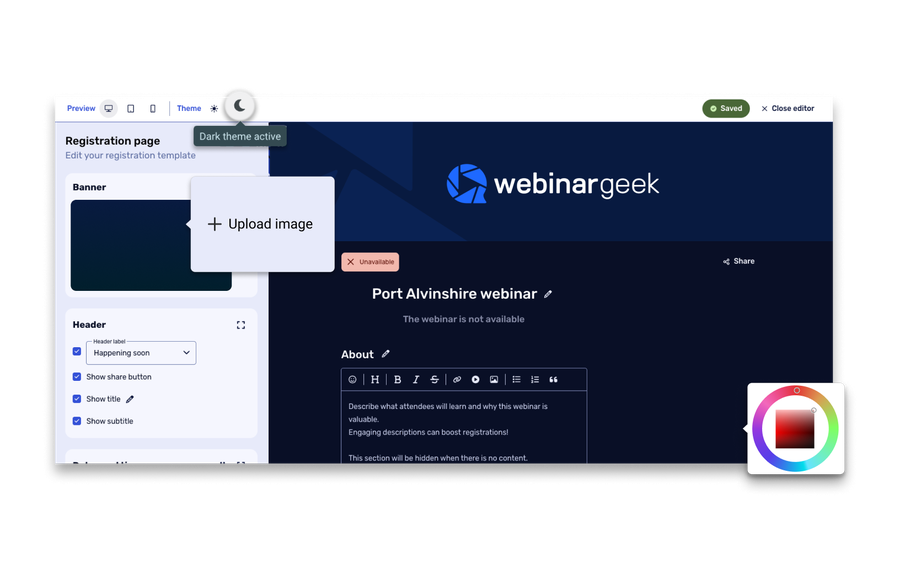
Here's a quick summary of how we differ from Webex:
Easy, browser-based access for hosts and attendees
Built for marketing, not just meetings
Clean interface that doesn’t require training
Reporting and follow-up tools that actually drive results
Ready for the specifics? See how WebinarGeek compares to Webex below.
View nowSee what users are saying
Don't just take our word for it, see what our users say about WebinarGeek.
Sounds great but I have some doubts...
Totally fair. Here are the questions we hear most from people comparing WebinarGeek and Livestorm.

How does Webex pricing compare to WebinarGeek?
WebinarGeek uses straightforward pricing based on live viewers, so you know what to expect each month. Webex pricing is more complex and typically based on licenses, tiers, and add-ons. For example, Webex webinar plans are often priced per host, starting around $68–$170+ per month depending on features and capacity. On top of that, there can be additional costs for support, training, or upgrades, which can increase the total cost significantly.

Is WebinarGeek easier to use than Webex?
Yes. WebinarGeek is designed to be intuitive from the start. Webex offers a lot of functionality, but that often comes with a steeper learning curve and more steps to manage webinars.

Will my attendees have a smoother experience?
In most cases, yes. WebinarGeek runs fully in the browser, so attendees can join instantly without downloads or setup. Webex can require extra steps, which can lead to confusion or drop-offs before the webinar even starts.

Will it be difficult to switch from Webex?
No. Most teams complete their first webinar live quickly. You do not need technical setup, and you can test everything in advance in the dry run so you feel confident before going live.
How does Webex pricing compare to WebinarGeek?
WebinarGeek uses straightforward pricing based on live viewers, so you know what to expect each month. Webex pricing is more complex and typically based on licenses, tiers, and add-ons. For example, Webex webinar plans are often priced per host, starting around $68–$170+ per month depending on features and capacity. On top of that, there can be additional costs for support, training, or upgrades, which can increase the total cost significantly.
Is WebinarGeek easier to use than Webex?
Yes. WebinarGeek is designed to be intuitive from the start. Webex offers a lot of functionality, but that often comes with a steeper learning curve and more steps to manage webinars.
Will my attendees have a smoother experience?
In most cases, yes. WebinarGeek runs fully in the browser, so attendees can join instantly without downloads or setup. Webex can require extra steps, which can lead to confusion or drop-offs before the webinar even starts.
Will it be difficult to switch from Webex?
No. Most teams complete their first webinar live quickly. You do not need technical setup, and you can test everything in advance in the dry run so you feel confident before going live.
WebinarGeek is the best alternative for Webex
Do you want to know why WebinarGeek is the better webinar platform? Compare Webex webinar vs WebinarGeek (2026).

VS
Webex
Webex
Zoom
General options
Advanced options
Tool/interaction
Integration
Support
Last updated: 2026

11,000 Sign-Ups: The Webinar Success of Nies Cools
Nies Cools, a Belgian business coach, turned to webinars to scale her coaching practice without losing the personal touch. What started with 120 sign-ups grew to over 11,000 registrations for a single session.
Read moreFAQ
What is the main difference between Webex and WebinarGeek?
Webex is built primarily for internal meetings and corporate communication, while WebinarGeek is designed specifically for webinars. That means WebinarGeek focuses more on ease of use, attendee experience, and tools that help you generate leads and follow up after your webinar.
Is WebinarGeek a good alternative to Webex for webinars?
Yes. If your goal is to run webinars for marketing, onboarding, or training, WebinarGeek is often a better fit. It is easier to set up, requires less technical knowledge, and includes features that help you engage your audience and get results from each session.
Do attendees need to download software to join?
No. WebinarGeek runs fully in the browser, so attendees can join with a single click. With Webex, participants may be asked to download an app or use a limited browser version, which can create extra friction.
Which platform is better for external or public webinars?
WebinarGeek is generally better suited for external audiences. It removes barriers to joining and is built to keep people engaged throughout the webinar, which helps improve attendance and overall results.
Is Webex or WebinarGeek easier to use?
WebinarGeek is typically easier to use, especially for teams that run webinars regularly. Webex offers more complexity and can take longer to learn, while WebinarGeek keeps things simple so you can focus on delivering your content.
How do I make the switch?
Ready to move over? Start your free trial or talk to us if you're bringing a bigger team or need something custom.