WebinarGeek vs WebinarKit
Less setup friction and a better fit for teams that need more than automated webinars.
Over 5,000 companies in more than 55 countries trust WebinarGeek

















Why are teams switching to WebinarGeek?

Keep branding consistent across every webinar

Host successful webinars with AI and learn what works

Run repeatable webinars without redoing everything

Get the best-rated support in the industry

A better fit when webinars need to do more
WebinarKit focuses mainly on automated webinars and evergreen funnels. For some teams, that works. But a more complex setup, a less intuitive editor, and an AI credit system can start to feel limiting when you want to move faster or build webinars more freely.
WebinarGeek brings live, automated, and on-demand webinars together in one clear platform. With a simpler setup, extensive engagement features like chat, polls, Q&A, and calls to action, plus built-in support, it gives teams more room to create webinars that feel interactive without adding extra complexity.
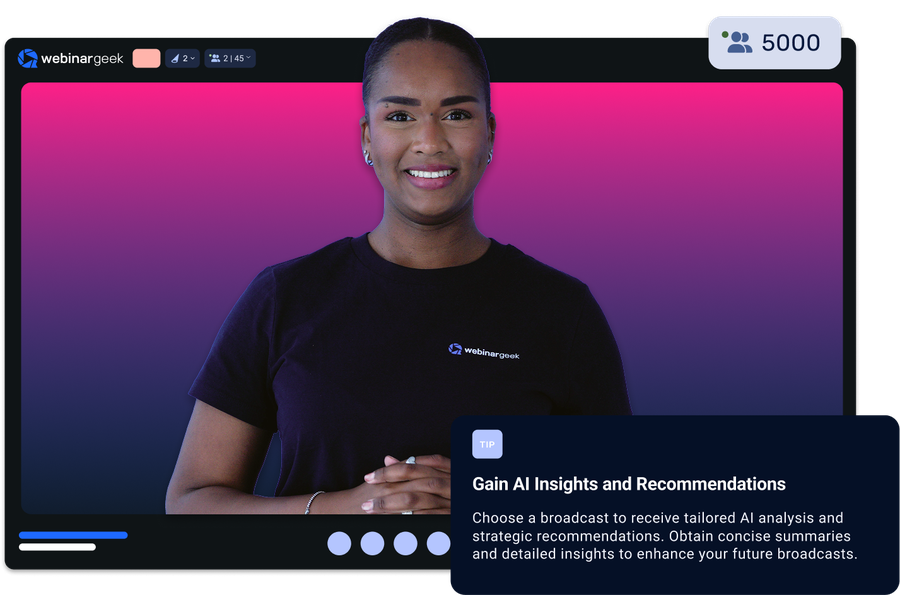
Here's a quick summary of how we differ from WebinarKit:
Simpler setup, with more flexibility from the start
Extensive engagement features that make webinars feel more interactive
Top-rated support available daily for questions and guidance
Straightforward pricing and deeper reporting, without AI credit limits
Ready for the specifics? See how WebinarGeek compares to WebinarKit below.
View nowSee what users are saying
Don’t just take our word for it, see what our users say about WebinarGeek.
Sounds great but I have some doubts...
Totally fair. Here are the questions we hear most from people comparing WebinarGeek and Webinarkit.


WebinarGeek is the best alternative for WebinarKit
Do you want to know why WebinarGeek is the better webinar platform? Compare WebinarKit vs WebinarGeek (2026).

VS
Webinarkit
Webinarkit
General options
Advanced options
Tool/interaction
Integration
Support
Last updated: 2026

11,000 Sign-Ups: The Webinar Success of Nies Cools
Nies Cools, a Belgian business coach, turned to webinars to scale her coaching practice without losing the personal touch. What started with 120 sign-ups grew to over 11,000 registrations for a single session.
Read moreFAQ
What is the main difference between WebinarKit and WebinarGeek?
The main difference between WebinarKit and WebinarGeek is focus. WebinarKit is positioned primarily around automated webinars, AI-generated sales presentations, and evergreen webinar funnels, while WebinarGeek is built for live webinars, automated webinars, and on-demand webinars in one place. If you want webinar software for broader use cases beyond evergreen funnels, WebinarGeek is usually the better fit.
Is WebinarGeek a good alternative to WebinarKit?
Yes. WebinarGeek is a strong WebinarKit alternative for teams that want a more complete webinar platform, a real free trial, faster support, and a clearer GDPR-first story. It makes sense for marketing webinars, customer education, recurring webinars, and teams that want live and automated formats without product sprawl.
Which platform is better for automated webinars: WebinarJam or WebinarGeek?
Both platforms support automated webinars, but the experience is different. WebinarJam is often associated with webinar funnels and evergreen webinar campaigns, while WebinarGeek offers automated webinars as part of a broader webinar strategy that also includes live and on-demand formats. If you want flexibility without switching tools, WebinarGeek is usually the better fit.
What integrations are available with other marketing tools?
WebinarGeek integrates with popular marketing tools like Mailchimp, HubSpot, and Zapier, enabling seamless email marketing and CRM management.
You can also connect with social media platforms like Facebook and LinkedIn for easy promotion. These integrations help streamline your processes, manage contacts, and enhance performance analysis.
For more details on available integrations, visit here.
Does WebinarKit offer a free trial?
Not currently. WebinarKit’s public pricing pages advertise a 7-day trial for $1. WebinarGeek, by contrast, currently promotes a 14-day free trial with premium features.
Does WebinarKit use AI credits for webinar creation?
Yes. WebinarKit’s help center explains that its AI features use credits and that users may need to buy more credits if they run out. The same article also lists paid refill packs, which means AI-generated scripts, slide decks, copy, and similar outputs are metered.
With WebinarGeek, you don't have to play around with credits, as they're already included in your subscription.
What support does WebinarKit offer?
WebinarKit’s support is available through email, tickets, and the site messaging widget, with business hours. Their public guidance says they try to respond within a few hours. WebinarGeek offers live chat and technical support for all customers with faster expected response times.
Is WebinarKit easier to use than WebinarGeek?
WebinarKit gets strong overall reviews, but public reviews also include comments about setup confusion, hidden features, and billing frustration. WebinarGeek’s public positioning leans harder into ease of use, faster support, and getting started quickly. For non-technical teams, that can make a real difference.
How do I make the switch?
Switching to WebinarGeek is easy : start your free account or talk to us if you're moving a large team and have custom needs.