
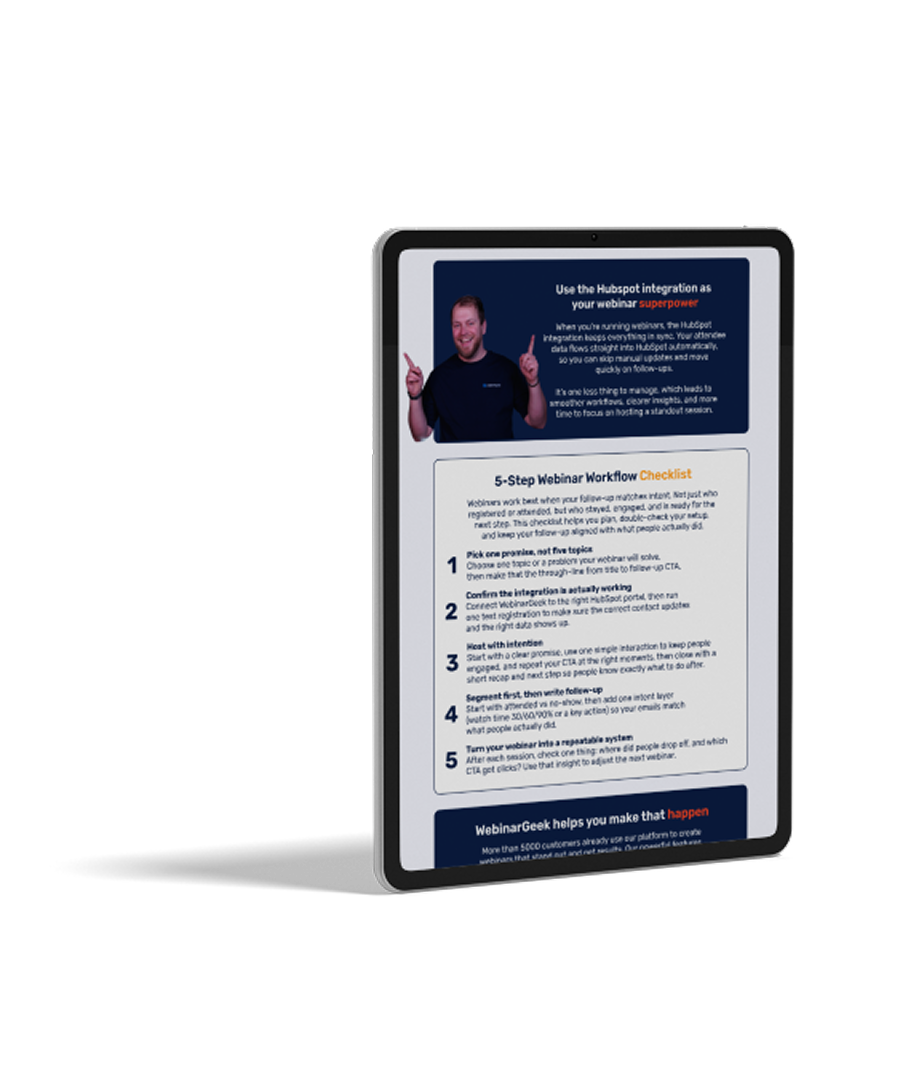
The 5-Step HubSpot Webinar Checklist
A guide for teams who want a smoother webinar workflow inside HubSpot. It skips the theory and shows you how to keep data in sync, segment by attendee behavior, and turn follow-up into something you can repeat every time.
What to read next?
The checklist gives you the structure. These blogs help you pick the right HubSpot webinar setup, and turn engagement data into better follow-up.

Best webinar tool for HubSpot users
For HubSpot users, “best” usually means one thing: webinar data that actually shows up in HubSpot. This blog explains what to look for in a HubSpot integration, the red flags that lead to manual clean-up, and a quick way to test whether a tool will really support your workflows.
Read now
Use Watch Time to Improve HubSpot Follow-Up
Not every attendee is equally interested, and your follow-up should reflect that. This article shows how watch time can help you separate casual viewers from high-intent leads, so your HubSpot workflows send the right next step to the right people.
Read nowFAQ
What types of webinars can I host with WebinarGeek?
What’s the difference between automated and on-demand webinars?
Automated webinars are pre-recorded sessions that run on a schedule you choose. You can set them to play daily, weekly, or whenever makes sense for your audience. They feel live, complete with chat, polls, or pre-set interactions, but you don’t have to show up in real time.
On-demand webinars are available any time. Your audience signs up and watches instantly (or whenever it fits their schedule). It’s like Netflix for your coaching content: always available, always working in the background.
Both let you reach more people without repeating yourself. You record once, and your message keeps showing up.
How to use webinar software?
Actually, it's very simple!
Start by creating an account, then schedule your webinar and customize your registration page. During the event, stream live or automated video, engage with your audience through tools like polls, Q&A, and chat, and share your screen for presentations. Afterward, access detailed analytics to measure engagement and follow up with attendees.
Can I try WebinarGeek for free?
Yes! We offer 14 days free trial, no credit card or payment details needed.
What integrations are available with other marketing tools?
WebinarGeek integrates with popular marketing tools like Mailchimp, HubSpot, and Zapier, enabling seamless email marketing and CRM management.
You can also connect with social media platforms like Facebook and LinkedIn for easy promotion. These integrations help streamline your processes, manage contacts, and enhance performance analysis.
For more details on available integrations, visit here.
Is WebinarGeek suitable for businesses of all sizes?
Whether you’re a small startup or a large enterprise, the platform offers flexible features that can be tailored to meet diverse needs. Its user-friendly interface and robust tools make it easy for any organization to create and manage engaging webinars, enhancing communication and marketing efforts.
Find more insights on our pricing page.
What is a webinar software?
Webinar software is an online platform for hosting live or automated events. It includes features like video streaming, audience interaction (Q&A, polls), and analytics to track engagement. Businesses use it for marketing, training, and presentations to connect with remote audiences.
Want to know more about WebinarGeek?
14 days free. All Premium features. No strings attached.