WebinarGeek vs Univid
More control, deeper workflow tools, and a platform that grows with your webinar strategy.
Over 5,000 companies in more than 55 countries trust WebinarGeek
















Why are teams switching to WebinarGeek?

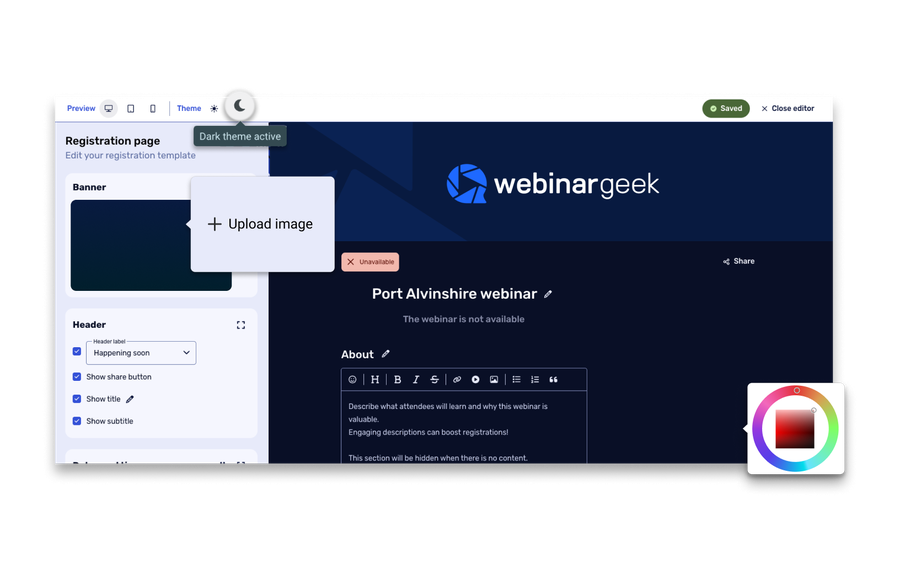
Keep branding consistent across every webinar

Host successful webinars with AI and learn what works

Run repeatable webinars without redoing everything

Get the best-rated support in the industry

Say goodbye to lightweight webinar tools that you outgrow too fast
Univid gets praised for being easy to use, visually polished, and quick to set up. That makes it appealing if your main goal is to launch a clean webinar fast. But once webinars become a regular part of your marketing, onboarding, training, or internal communication, simplicity won't be enough.
Here's a quick summary of how we differ from Univid:
More complete webinar workflows from registration to follow-up
Better suited for repeatable webinar programs, not just one-off live sessions
More operational depth for scaling, multi-host webinars, and ongoing campaigns
Stronger value when you need a full webinar platform, not just a polished front-end experience
Ready for the specifics? See how WebinarGeek compares to Univid below.
View nowSee what users are saying
Don’t just take our word for it, see what our users say about WebinarGeek.
Sounds great but I have some doubts...
Totally fair. Here are the questions we hear most from people comparing WebinarGeek and Univid.

Do I need a simple webinar tool, or a platform I can build on?
Univid does a good job making webinars feel simple, polished, and engaging. But WebinarGeek is the stronger fit when you want more around the webinar itself: branding, registration, reminders, follow-up, analytics, payments, integrations, and automation all in one place. It’s a better match if you need webinars to become a repeatable part of how you market, train, or communicate.

Which platform gives me more room to grow?
If you expect your webinar program to get more advanced over time, WebinarGeek makes the stronger case. Our feature set spans live, automated, on-demand, just-in-time, paid webinars, webinar series, extra broadcasts, interactive sessions, up to 100 presenters, and up to 5,000 viewers depending on plan, and so much more. Univid supports live, on-demand, and simulated live webinars well, and it does offer advanced options on custom plans, but its main positioning is still more centered on getting webinars live quickly and keeping them engaging.

Which platform helps me more after the webinar is over?
WebinarGeek has the stronger post-webinar story. Its product pages and review sources lean heavily into analytics, attendee reports, integrations, AI insights, and follow-up workflows that help you turn webinar data into action. Univid also gives you attendee insights and CRM integrations, so it is not weak here, but its story is more about passing webinar data into the tools you already use rather than offering the same broad all-in-one operating layer around the webinar platform itself.

Which platform feels like the safer long-term choice?
Univid has a clear appeal for teams that want speed, simplicity, and a modern webinar experience. WebinarGeek is the stronger choice for teams that want more depth, more room to scale, and a platform that can support a serious webinar strategy over time.
Do I need a simple webinar tool, or a platform I can build on?
Univid does a good job making webinars feel simple, polished, and engaging. But WebinarGeek is the stronger fit when you want more around the webinar itself: branding, registration, reminders, follow-up, analytics, payments, integrations, and automation all in one place. It’s a better match if you need webinars to become a repeatable part of how you market, train, or communicate.
Which platform gives me more room to grow?
If you expect your webinar program to get more advanced over time, WebinarGeek makes the stronger case. Our feature set spans live, automated, on-demand, just-in-time, paid webinars, webinar series, extra broadcasts, interactive sessions, up to 100 presenters, and up to 5,000 viewers depending on plan, and so much more. Univid supports live, on-demand, and simulated live webinars well, and it does offer advanced options on custom plans, but its main positioning is still more centered on getting webinars live quickly and keeping them engaging.
Which platform helps me more after the webinar is over?
WebinarGeek has the stronger post-webinar story. Its product pages and review sources lean heavily into analytics, attendee reports, integrations, AI insights, and follow-up workflows that help you turn webinar data into action. Univid also gives you attendee insights and CRM integrations, so it is not weak here, but its story is more about passing webinar data into the tools you already use rather than offering the same broad all-in-one operating layer around the webinar platform itself.
Which platform feels like the safer long-term choice?
Univid has a clear appeal for teams that want speed, simplicity, and a modern webinar experience. WebinarGeek is the stronger choice for teams that want more depth, more room to scale, and a platform that can support a serious webinar strategy over time.
WebinarGeek is the best alternative for Univid
Do you want to know why WebinarGeek is the better webinar platform? Compare Univid vs WebinarGeek (2026).

VS
Univid
Univid
General options
Advanced options
Tool/interaction
Integration
Support
Last updated: 2026

11,000 Sign-Ups: The Webinar Success of Nies Cools
Nies Cools, a Belgian business coach, turned to webinars to scale her coaching practice without losing the personal touch. What started with 120 sign-ups grew to over 11,000 registrations for a single session.
Read moreFAQ
What is the main difference between Univid and WebinarGeek?
Univid is mainly focused on making webinars feel simple, polished, and engaging. WebinarGeek is built for teams that need more around the webinar itself, like registration flows, reminders, follow-up, reporting, and different webinar formats. If you want a platform for running webinars as an ongoing channel, WebinarGeek gives you more depth.
Is WebinarGeek a good alternative to Univid?
Yes, especially if you are looking for more than a lightweight webinar setup. WebinarGeek is a strong Univid alternative for teams that want webinars to support lead generation, customer education, internal communication, onboarding, or recurring campaigns. It is a better fit when your webinar strategy needs more structure, flexibility, and room to grow.
Is WebinarGeek GDPR compliant?
Yes. WebinarGeek is designed with GDPR compliance in mind and stores data on European servers.
For companies in Europe, this can be an important factor when collecting attendee data through a registration page or sending automated emails related to the webinar.
Which platform is better for automated, on-demand, and paid webinars?
WebinarGeek is the better fit if you want to run more than standard live webinars. It is better suited to teams that want to combine live webinars with automated, on-demand, hybrid, paid, or repeatable interactive webinars in one platform. That gives you more freedom to build a webinar strategy that keeps working long after a single event ends.
Which webinar platform is better for long-term growth?
WebinarGeek is the stronger choice for long-term growth. It gives you more support for repeatable webinar workflows, stronger statistics, broader format flexibility, and more room to scale as your webinars become more advanced. Univid may feel simpler at first, but WebinarGeek is better suited to teams that want a platform they can keep building on.
How do I make the switch?
Ready to move over? Start your free trial or talk to us if you're bringing a bigger team or need something custom.