WebinarGeek vs GoToWebinar
More webinar-first features, fewer technical headaches, and a smoother experience for both hosts and attendees.
Over 5,000 companies in more than 55 countries trust WebinarGeek

















Why are teams switching to WebinarGeek?

Keep branding consistent across every webinar

Host successful webinars with AI and learn what works

Run repeatable webinars without redoing everything

Get the best-rated support in the industry

From setup to live, without the hassle
GoToWebinar can handle webinars. But depending on your setup, you might spend more time working around the platform than running your broadcast, especially when it comes to live controls and audience interaction.
With WebinarGeek, you get a webinar-first platform with a clean setup, a smooth live experience, and the flexibility to make it feel like your brand.
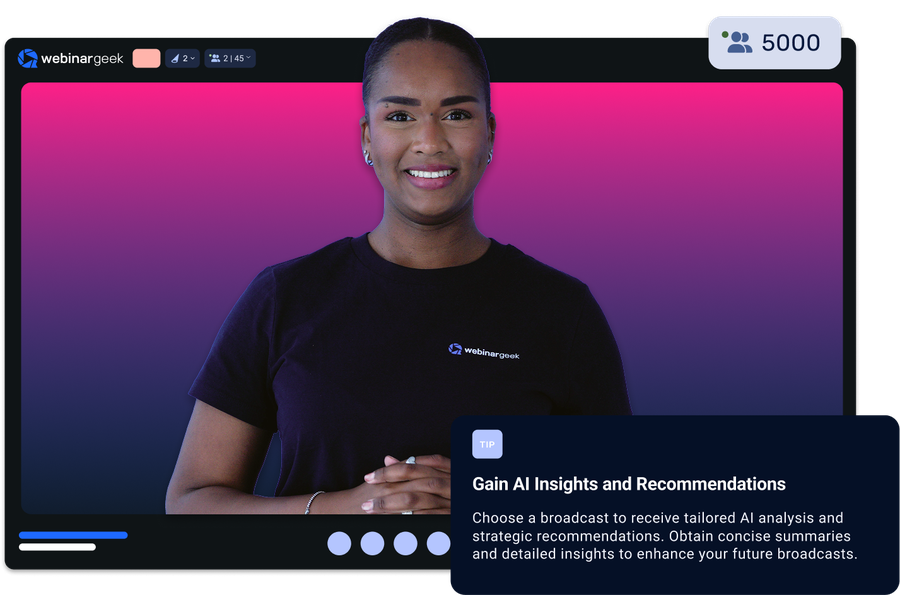
Here's a quick summary of how we differentiate from GoToWebinar:
Support that is responsive when you need help
A smoother live experience, with fewer audio issues and technical disruptions
More modern engagement options, so webinars feel less static
Chat and Q&A features that are easier to follow and manage during the session
Ready for the specifics? See how WebinarGeek compares to GoToWebinar below.
View nowSee what users are saying
Don’t just take our word for it, see what our users say about WebinarGeek.
Sounds great but I have some doubts...
Totally fair. Here are the questions we hear most from people comparing WebinarGeek and GoToWebinar.

How different does WebinarGeek feel compared to GoToWebinar?
Today, GoToWebinar still uses a slightly outdated user interface. In comparison to other webinar software providers, this can be seen as less user-friendly.GoToWebinar provides a webcast version. Still, the majority of their functionality and events run with the downloadable application of their software. WebinarGeek is completely web-based. Which increases the attendance on average by 60%.

GoToWebinar is familiar. Why change?
If it works for you today, great. But if you are running into technical issues, outdated interfaces, or limited engagement tools, WebinarGeek is a smoother alternative that is built for modern webinars.

What if something goes wrong right before we go live?
When webinars are critical, support matters. WebinarGeek is known for being responsive, and you can do a dry run beforehand so nothing feels like a gamble.

How does GoToWebinar pricing compare to WebinarGeek pricing?
Perhaps the most important thing for consumers is the price. GoToWebinar sits on the high-end spectrum of the webinar market, with starting prices of 89 euros. Compared to WebinarGeek's starting prices, there's a difference of 80 euros that makes WebinarGeek more accessible for starters.
How different does WebinarGeek feel compared to GoToWebinar?
Today, GoToWebinar still uses a slightly outdated user interface. In comparison to other webinar software providers, this can be seen as less user-friendly.GoToWebinar provides a webcast version. Still, the majority of their functionality and events run with the downloadable application of their software. WebinarGeek is completely web-based. Which increases the attendance on average by 60%.
GoToWebinar is familiar. Why change?
If it works for you today, great. But if you are running into technical issues, outdated interfaces, or limited engagement tools, WebinarGeek is a smoother alternative that is built for modern webinars.
What if something goes wrong right before we go live?
When webinars are critical, support matters. WebinarGeek is known for being responsive, and you can do a dry run beforehand so nothing feels like a gamble.
How does GoToWebinar pricing compare to WebinarGeek pricing?
Perhaps the most important thing for consumers is the price. GoToWebinar sits on the high-end spectrum of the webinar market, with starting prices of 89 euros. Compared to WebinarGeek's starting prices, there's a difference of 80 euros that makes WebinarGeek more accessible for starters.
WebinarGeek is the best alternative for GoToWebinar
Do you want to know why WebinarGeek is the better webinar platform? Compare GoToWebinar vs WebinarGeek (2026).

VS
Gotowebinar
Gotowebinar
General options
Advanced options
Tool/interaction
Integration
Support
Last updated: 2026

11,000 Sign-Ups: The Webinar Success of Nies Cools
Nies Cools, a Belgian business coach, turned to webinars to scale her coaching practice without losing the personal touch. What started with 120 sign-ups grew to over 11,000 registrations for a single session.
Read moreFAQ
What are the main differences between WebinarGeek and GoToWebinar?
Both platforms allow you to host professional webinars, but they focus on slightly different strengths.
WebinarGeek is designed for teams that want an intuitive platform with built-in automation, interactive features, and detailed engagement statistics.
Many teams prefer WebinarGeek for its modern interface, flexible automation options, and integrated tools for marketing and training workflows.
What integrations are available with other marketing tools?
WebinarGeek integrates with popular marketing tools like Mailchimp, HubSpot, and Zapier, enabling seamless email marketing and CRM management.
You can also connect with social media platforms like Facebook and LinkedIn for easy promotion. These integrations help streamline your processes, manage contacts, and enhance performance analysis.
For more details on available integrations, visit here.
Is WebinarGeek GDPR compliant?
Yes. WebinarGeek is designed with GDPR compliance in mind and stores data on European servers.
For companies in Europe, this can be an important factor when collecting attendee data through a registration page or sending automated emails related to the webinar.
Can I run automated webinars with WebinarGeek?
Yes. WebinarGeek allows you to run automated webinars that feel interactive and structured. You can upload a recorded session and schedule it as a recurring broadcast.
Features like simulated chat, scheduled reminder emails, and follow-up messages help maintain engagement while your webinar runs automatically. This makes it easy to turn one strong presentation into a repeatable lead generation or training system.
Is WebinarGeek a good alternative to GoToWebinar?
Many teams choose WebinarGeek as a modern alternative to GoToWebinar because it combines live webinars, automated webinars, and on-demand sessions in one platform.
WebinarGeek focuses on a clean, intuitive user experience so you can set up registration pages, emails, and broadcasts without a complicated workflow. It also offers transparent pricing and regularly releases product updates based on customer feedback.
For teams that want a webinar platform that’s easy to use, continuously improving, and built for marketing and training workflows, WebinarGeek is a strong alternative.
How do I make the switch?
Switching to WebinarGeek is easy : start your free account or talk to us if you're moving a large team and have custom needs.